
Countdown
New to this? What the instructions mean
Click means select with your mouse (or tap on a touch screen). Row menu means the small actions menu beside an item in a list. Drop-down means a box you click to choose an option. Drag and drop means hold the mouse button on an item, move it, then release.
CMS is your online screen-control system. Display means a managed screen. Publish makes a layout ready to play. Schedule chooses the screens and times.
Some buttons depend on your version and permissions. If your screen looks different, ask your administrator or get help.
This is a detailed reference page. If you are just getting started, show your first image first.
Show a countdown for a selected duration or until a specified date on Layouts and Playlists.
Overview
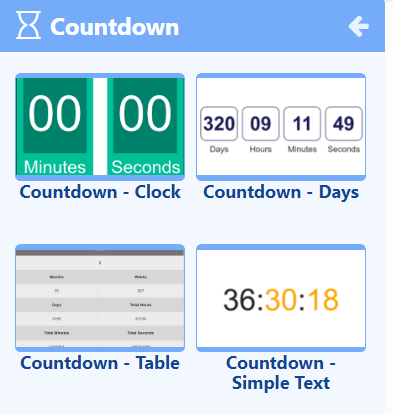
- Select to show a countdown in minutes and seconds.
- Show a detailed countdown to show days, hours, minutes and seconds.
- Countdown in a table format to show years, months, weeks, days with total hours, minutes and seconds.
- Show a countdown in a simple text format.
- Determine a countdown by the total duration of the Widget.
- Set your own custom duration to countdown in seconds.
- Specify a date and time to use.
- Set a Warning Date to change the countdown to a ‘warning mode’ for the remainder of the Countdown.
Need a hand with your displays?
Talk to Screen Moove →